Bingo card generator
This bingo card generator turns any list into a playable card: paste one entry per line, pick a 3x3, 4x4 or 5x5 grid, and shuffle. Print up to 30 unique boards for a party or classroom, or publish the card so people can play it right in the browser.
Also known as: bingo card maker, custom bingo cards, bingo board generator, free printable bingo cards, bingo sheet generator.
Free. No account needed. Export a PNG.
Start a card
A blank grid in three sizes, or a ready-made pack: icebreakers, showers, road trips, buzzwords and watch parties, squares already loaded.
Bingo card categories
See allClassroom, party, fandom, holidays, work and other subjects.
Filter templates by size
See allPopular bingo card templates
See all


Popular completed bingo cards
See all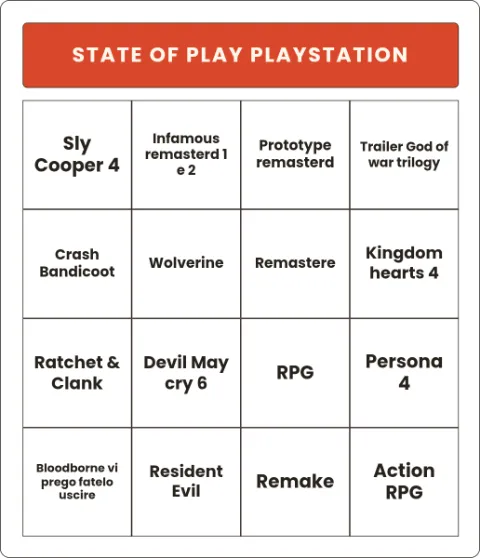
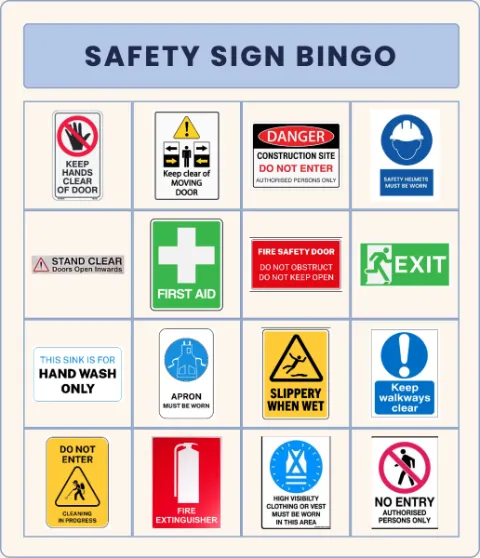
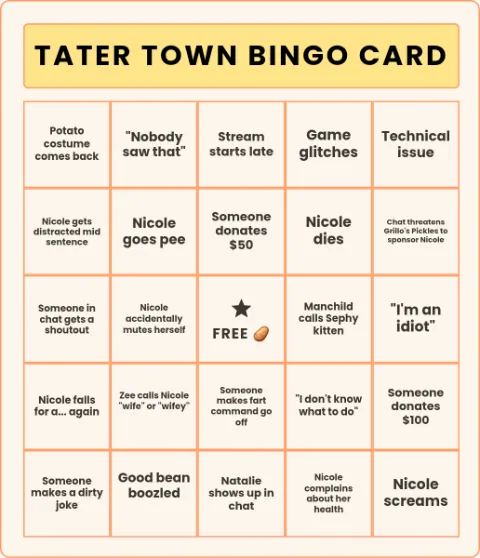
Play together online
Any card can become a live game. Press Play live in the editor (or Start a room on a published card) and you get a six-character code and a link. Everyone who joins gets their own shuffled card on their phone, picks a blotter, and daubs along; you call squares from the host page, or draw 1 to 75 for a classic number game, and the calls light up on every card. A Bingo button checks each claim against what has been called, and a projector view shows the current call and the code to the room. No accounts, no downloads: players only need the code.
Playing a published card
A published bingo card is a page anyone can play: tap a square to daub it, tap again to clear it, and reset the card between rounds. Daubs stay in each player's own browser, so a whole watch party can play one link without stepping on each other. For paper games, the print pack in the editor deals up to 30 unique boards from a single design, and the bingo number caller runs the 1 to 75 draw with a board of every call.
How to make a bingo card
- Paste your list. One square per line: catchphrases, meeting buzzwords, things you might spot on a road trip, whatever the game is about. The list can be longer than the card; extra entries stay in the pool, which is what makes every shuffled card different. You can also add a picture to any square.
- Pick the grid. A 5x5 with a free center is the classic. A 4x4 plays faster, and a 3x3 suits young kids or a quick round. The free center is a toggle on odd sizes, and its text and picture are yours to change: FREE, the guest of honor, the show logo.
- Shuffle, and pin what matters. Shuffle deals the pool onto the grid. If one square has to sit somewhere specific, tap it and pick the entry: pinned squares stay put through every shuffle and on every printed card.
- Print unique cards, or share the link. The print pack turns one design into up to 30 different boards, one click, one per page, so no two players hold the same card. Or download a PNG, or publish it to get a link where anyone can play the card in the browser by tapping squares to daub them.
What you can do
- Paste a whole list at once, one square per line, and the card fills itself.
- Print 1 to 30 unique cards from one design: every board is a different arrangement of the same list.
- Put a picture in any square, or in the free center.
- 3x3, 4x4 and 5x5 grids, with a free center on the odd sizes.
- Pin a square in place and it survives every shuffle and every printed card.
- Palette presets plus full custom colors: header, squares, text, borders and the daub mark.
- Published cards are playable in the browser: tap a square to daub it, tap again to clear.
- Play live: start a room, share a six-character code, and every player gets their own shuffled card on their phone with the calls highlighted.
- A classic 1-75 number fill for traditional bingo, with the right B-I-N-G-O column ranges on 5x5, and a free number caller for the draw.
- No sign-up to make, shuffle, print or download.
- Download a PNG, a JPEG or a PDF, or publish for a shareable link with a preview card.
Make your own bingo card
Classroom icebreakers and review games
Find-someone-who cards for the first week, vocabulary or fact review later in the term. Because the generator prints a different board for every student from one list, the fast finishers cannot copy their neighbour, and making next week’s card is a two-minute edit of this week’s list.
Baby showers, weddings and party games
List the moments that always happen (someone cries, two people brought the same gift) and hand every guest a different card. The free center takes the guest of honor’s name or photo, and the palette presets get the card matching the decorations without any design work.
Fandom watch parties
Episode tropes, lines the characters always say, things the fandom jokes about. Publish the card before the episode airs and everyone plays the same board on their phone, daubing squares as the tropes land. Season finales deserve a 5x5.
Road trips and long waits
Things you spot out the window: a red truck, a water tower, an out-of-state plate. Print a pack before you leave and every passenger hunts a different board, which keeps the back seat honest.
Meetings and office life
Buzzword bingo is a genre for a reason. One list of the phrases your meetings cannot live without, a discreet 4x4 for everyone on the call, and suddenly the quarterly all-hands has stakes.
Common questions
Can I print multiple unique cards from one list?
Yes, and it is the point of the tool. The print pack takes your one design and deals it into up to 30 different boards, one click and one card per page (two per page for small 3x3 cards). Every board draws from the same list, so the game is fair, but the arrangements differ, so no two players share a card. Squares you pinned by hand appear in the same place on every board.
Can I put pictures in the squares?
Yes. Any entry in the pool can carry an image alongside or instead of its text, and the free center can hold a picture too. Picture cards work well for young kids and for fandom cards where the joke is a screenshot.
What grid sizes are there?
Three: 3x3, 4x4 and 5x5. The 5x5 with a free center is the classic full-length game, 4x4 plays quicker, and 3x3 is right for young children or a short round. Switching size re-deals the card from the same list, so trying all three costs nothing.
How does the free center work?
On 3x3 and 5x5 cards the middle square can be a free space, on by default, and everyone starts with it daubed. The text is editable (it does not have to say FREE) and it can hold an image instead. A 4x4 grid has no middle square, so the toggle does not apply there.
Is it really free? Do I need an account? Is there a watermark?
Making, shuffling, printing and downloading are free with no account. The downloaded PNG carries the site address in small type in the corner; the printed cards and a published card’s own page do not put anything over the grid. Publishing is the one action that asks you to sign in, because a published card is a public page.
Can I make classic number bingo with 1 to 75?
Yes. A quick action fills the card with a classic number draw, using the proper B-I-N-G-O column ranges (B is 1-15 through O is 61-75) on a 5x5. For the draw itself there is a free bingo number caller at thechartmaker.com/bingo-caller: it picks random numbers from 1 to 75, shows every call on a B-I-N-G-O board, lets you undo a slip and goes full screen for a projector. Or press Play live in the editor and the caller runs inside a room where every player’s phone card lights up as numbers are called.
Can people play the card online?
Yes, two ways. Publish the card and its page is playable: tapping a square daubs it with a translucent mark, tapping again clears it, and a reset control wipes the card for the next round; daubs live only in each player’s browser. Or press Play live to start a room: you get a six-character code, everyone who joins gets their own shuffled card on their phone, the squares or numbers you call are highlighted on every card, and a Bingo button checks each claim. No account is needed to play.